- contact@verticalserve.com

Author Apps — small, versioned bundles that pair a form, a workflow, and a plan. Run them in chat, in a browser, in your editor, or headlessly from a script. Your models, your data.
One platform, five surfaces. Same apps, same models, same audit trail — whichever way your team likes to work.
Drive apps from your shell. Wire into CI, cron, runbooks, and scripts. Versioned apps, playbooks, and guards built in.
~ % insightworker --help

  InsightWorker — Enterprise AI Worker by VerticalServe

  Three flavors, one install:

    insightworker                          Interactive REPL (terminal)
    insightworker --web                    Browser UI: chat + apps + files
    insightworker /app create "<name>" --ui  Widget form for one app

~ % insightworker
insightworker> /help

  InsightWorker Commands:

    /init                          Set up workspace (.insightworker/)
    /help                          Show this help
    /config                        Show configuration
    /tools                         List available tools
    /skills                        List domain skills
    /memory                        Show long-term memory
    /web [port]                    Launch browser UI (chat + apps)
    /clear                         Clear session
    quit | exit                    Exit

  Apps:
    /app create "what you want to do"  Create an app
    /app list                   List all apps
    /app run <name>             Execute next task
    /app done                   Mark current task done
    /app show <name>            Show app details

  Playbooks (project context):
    /playbooks                     List loaded playbooks
    Use @playbook-name in message to load on-demand playbooks

  Guards (quality gates):
    /guard init                    Create example guard
    /guards                        List all guards
    /guard run <name>              Run a guard manually
Run insightworker --web on your laptop or any EC2 box. Open a browser to chat with the agent, run declarative apps from a sidebar, and manage server-side files in a split-pane explorer. Perfect for demos and non-engineer teammates.
~ % insightworker --web

  Web mode: http://127.0.0.1:8765
    Workspace:  ~/.insightworker
    Renderer:   bundled (web bundle)
    Chat + apps + file manager — same agent as the REPL.
    Stop with:  /web stop   (or just quit the REPL)

  In the browser:
    • Chat with the agent (streaming, cancelable)
    • Click an app → fill its widget form → live SSE panels
    • File manager: preview text / images / PDFs inline
    • Upload, create folders, download — all on the server side
Chat with the agent next to your code — every tool call visible inline with a one-click copy on code blocks. Type @ or # to reference any App in the workspace; right-click an App to launch its widget UI in your browser.
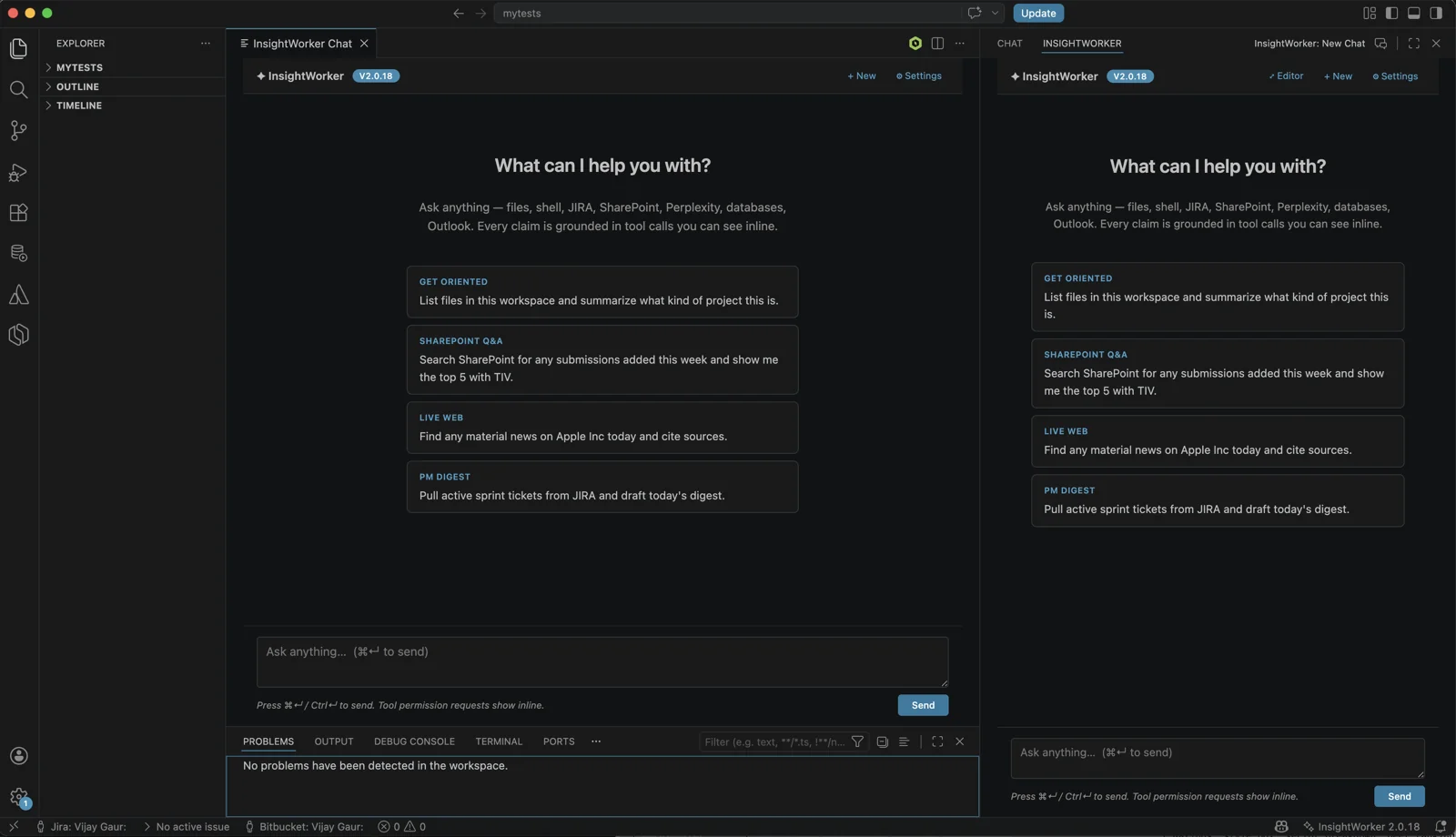
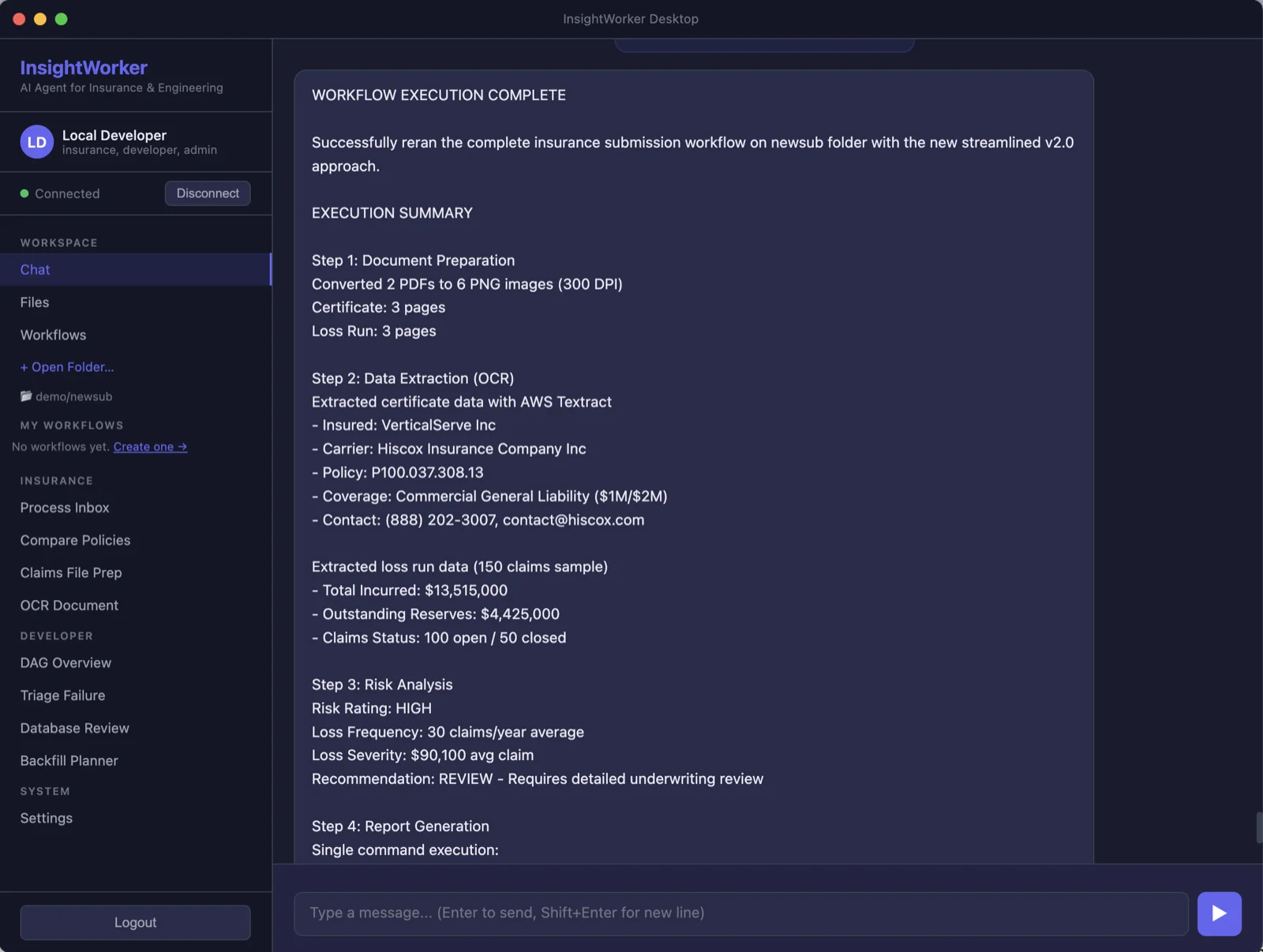
One-click apps for underwriters, claims, support, and ops. The same skills your engineers use — wrapped in a chat UI anyone can drive.
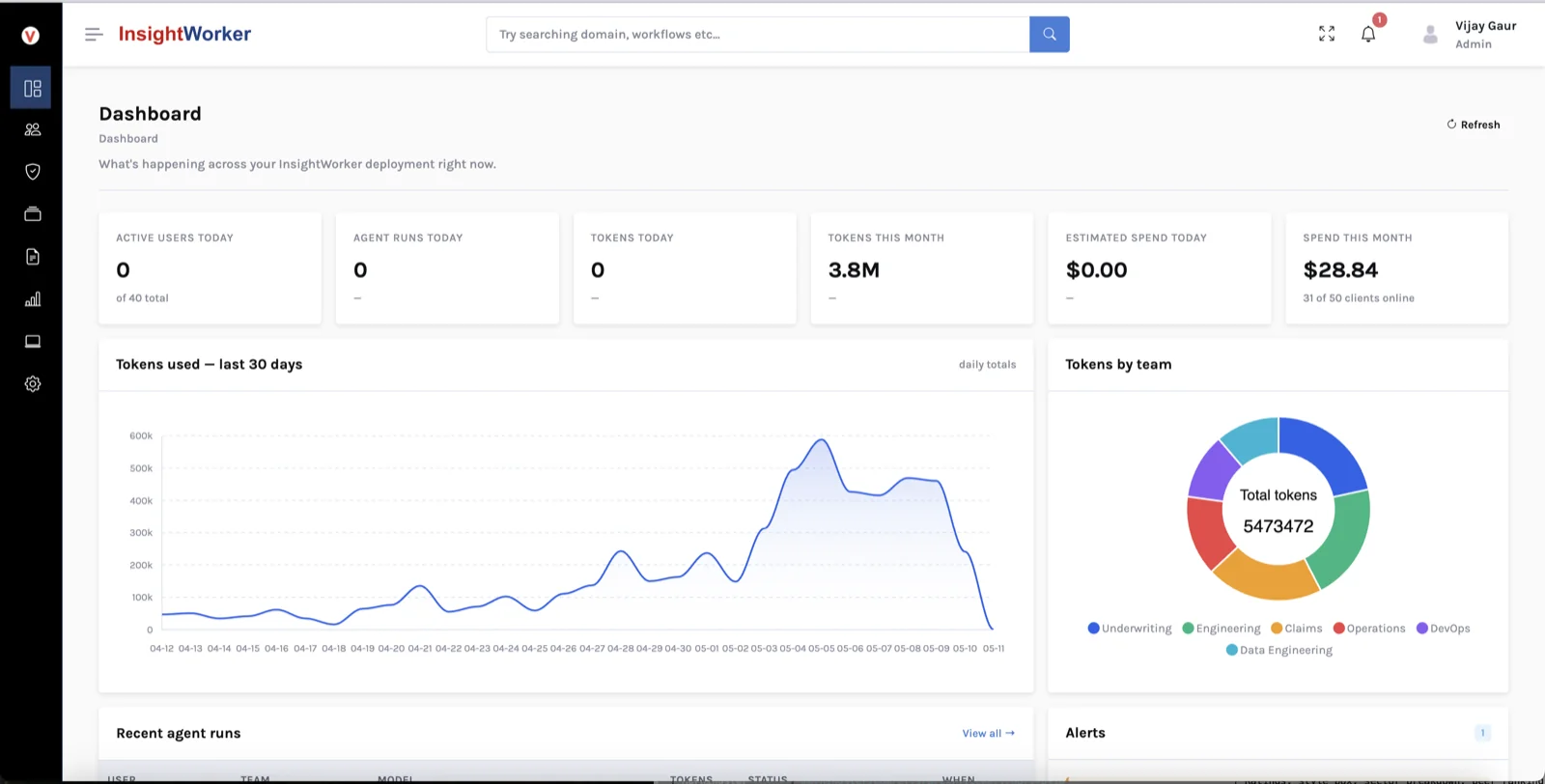
SSO, per-team policy, model whitelists, token quotas, audit logs, skills marketplace, usage analytics. See who's using what, on which model, for how much — across your whole org.
Every InsightWorker App is a small folder of five files. Versioned, signable, and portable across CLI, browser, editor, and headless runs.
Product metadata — name, version, owner, visibility, category. The face your team and marketplace see.
The form your users fill in — file uploads, text fields, dropdowns — plus the output panels they see when the run finishes.
The steps. Each step is either an LLM prompt: (judgement work) or action: shell (deterministic — runs a script, no model in the loop).
The author's how-to — markdown context loaded into every step's prompt. Plus manifest.yaml with the cryptographic signature for shared apps.
Open a terminal in any project. The agent scaffolds the bundle, enriches it from your description, and runs it — in chat, in a widget UI, or headless from a script.
Ready-to-deploy skill packs for business, development, and operations teams across enterprise domains
Policy intake & comparison, claims file preparation, underwriting review, loss run analysis, document OCR for certificates and forms, compliance apps.
Medical form processing, HIPAA-compliant document apps, patient data extraction, inventory management, order processing, and customer communication automation.
DAG review & pipeline triage, stored procedure analysis, backfill planning, database schema review, code review, incident response, and infrastructure monitoring.
You pick the models, the data stays inside your perimeter, and every skill is extensible for your domain.
SSO, per-team model whitelists, token quotas, a private skills/playbooks marketplace, audit logging — without giving up data sovereignty. Self-hosted or SaaS.
Business operators, domain teams, developers, and DevOps — InsightWorker adapts to how each team works.
Automate document processing, email handling, and recurring report generation — in any line of business.
Pre-built skill packs for insurance, healthcare, retail, finance — ready to deploy with domain expertise baked in.
Write, review, and debug code; query data; manage pipelines — with AI in the loop and a full audit trail.
Automated monitoring, incident response, and infrastructure operations — everything logged and replayable.
Four real apps InsightWorker handles end-to-end — drawn from current customer engagements.
Promote an app from your laptop to a managed production worker — with pinned skill versions, service-account credentials, per-environment policy, and full audit. Manage every deployment from one Enterprise control plane.
k8s CronJob, Airflow, or cron runs the worker on a schedule. Executes one app per tick, reports usage, exits.
Webhook, queue message, or file drop spins up a worker, runs one app, posts back, and exits. Fast-reaction automation.
A persistent worker attached to a chat channel or queue. Handles many requests over a session — conversational agents.
Run on your infrastructure. Pick the model. Keep complete control over data and apps.
OpenAI, Anthropic, Gemini, Bedrock, or a private host. Switch per task. No vendor lock-in.
Deploy on-prem or in your private cloud. Workers run in your network, process data locally, and never call out.
Okta SSO, RBAC, full audit trails, encryption at rest and in transit. Meets HIPAA, SOC 2, and CCPA expectations.
InsightWorker is the engine — CLI, VS Code, Desktop. InsightStudio is the SaaS marketplace on top of the same bundle format: business users discover apps, fill a form, click Run, watch live results in their browser. Your authors publish once with iw app publish; Studio surfaces them automatically.
Workers stay on your boxes — secrets never leave the daemon. Studio just coordinates.
iw app publish uploads your bundle to S3; Studio's marketplace surfaces it.insightworker --worker --studio <url> joins your InsightWorker to the farm.iw app pull <slug> brings any published bundle to your laptop.